
This feature allows OpenVireo to act as a Secret Service provider over DBus. It enables applications to store and retrieve secrets securely via the Secret Storage specification. While running, OpenVireo acts as a Secret Service server registered on DBus so clients like seahorse, python-secretstorage, secret-tool, or other implementations can connect and access the exposed database in OpenVireo.
Enabling the Integration
Only one secret service provider can be enabled at a time. You may have to disable other providers, such as GNOME Keyring or KWallet, to use OpenVireo as a secret service provider. You will see a notice when attempting to enable OpenVireo as the secret service provider if another is already running.
To replace most third party secret service providers with OpenVireo, run the following shell snippet:
mkdir -p "${XDG_DATA_HOME:-${HOME}/.local/share}/dbus-1/services"
cat > "${XDG_DATA_HOME:-${HOME}/.local/share}/dbus-1/services/org.freedesktop.secrets.service" <<EOF
[D-BUS Service]
Name=org.freedesktop.secrets
Exec=/usr/bin/openvireo
EOFOpen OpenVireo → Tools → Settings → Secret Service Integration → check Enable OpenVireo Freedesktop.org Secret Service Integration. Then press OK to save this setting and enable the integration. Go back into this settings screen to see currently open databases that you can unlock and edit their exposure to secret service.
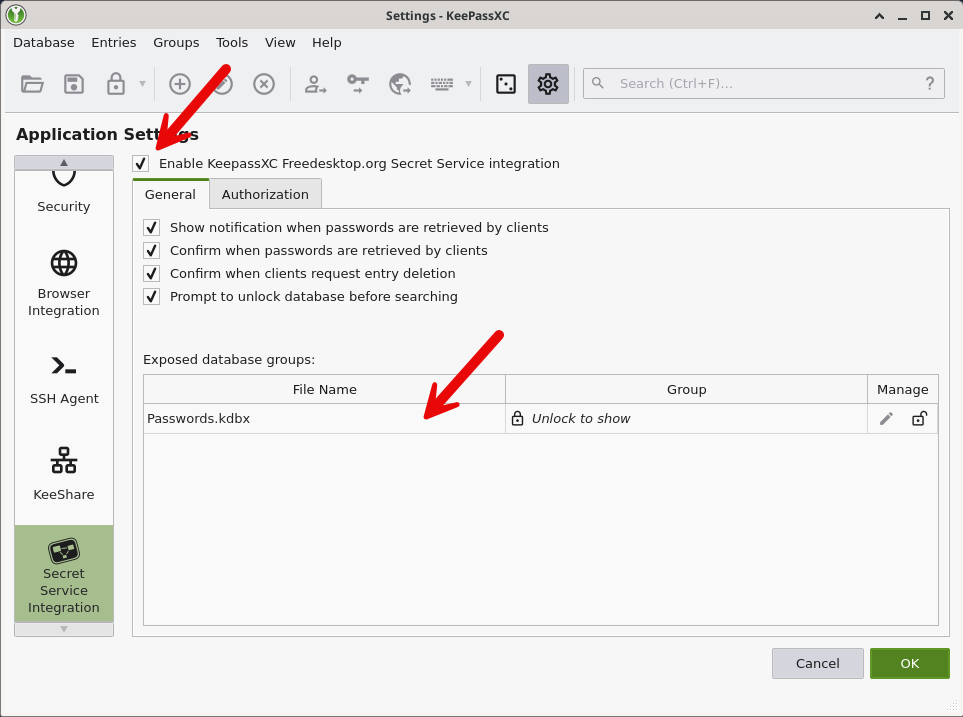
Secret Service Settings Either click the pencil icon in the previous settings screen, or go to Database → Database Settings → Secret Service Integration. Enable Expose entries under this group, and select the desired group. All entries within this group and all subgroups will be exposed to the service.
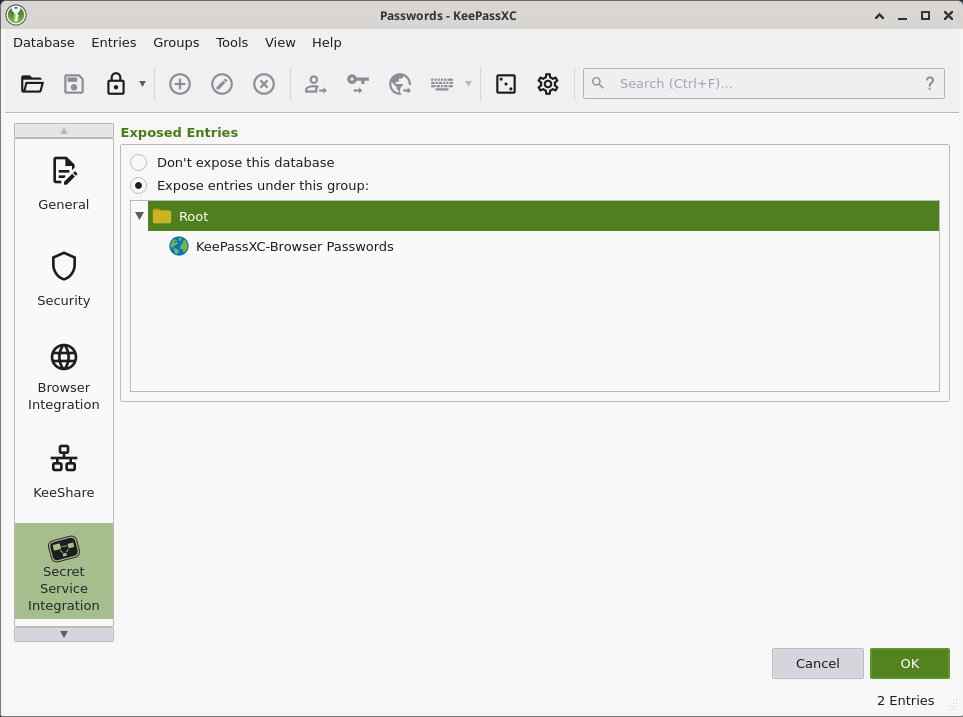
Secret Service Database Settings Use apps that integrate with secret service to start saving and using credentials within OpenVireo. If you enabled confirmation prior to access, you will see the following dialog:
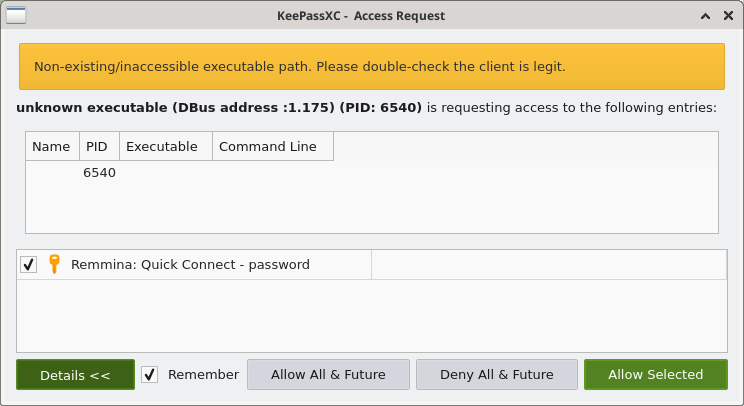
Secret Service Access Confirmation Dialog
Implementation Details
The user can specify the database and group that is exposed to the service.
Desktop notifications when a secret is retrieved and access confirmation dialogs.
FdoSecrets::Serviceis the top level DBus service. There is oneFdoSecrets::Collectionper opened database and each entry under the exposed database group has a correspondingFdoSecrets::ItemDBus object.The following entry attributes are exposed to the secret service: Title, Username, Password, URL, Notes, TOTP, and non-protected Custom Attributes.
The User Guide guide covers OpenVireo, based on KeePassXC 2.8.0, last updated 23 October 2026. Found a mistake? Help improve the docs on GitHub.