
OpenVireo provides support for syncing database files that reside in a remote location. If you can download/upload the database file via a commandline tool (e.g. rsync, ssh, scp etc.) OpenVireo offers easy to use functionality to sync the remote database. To sync with an OpenVireo Sync Server instead, automatically and with a version history, see OpenVireo Sync Server.
Sync with remote database
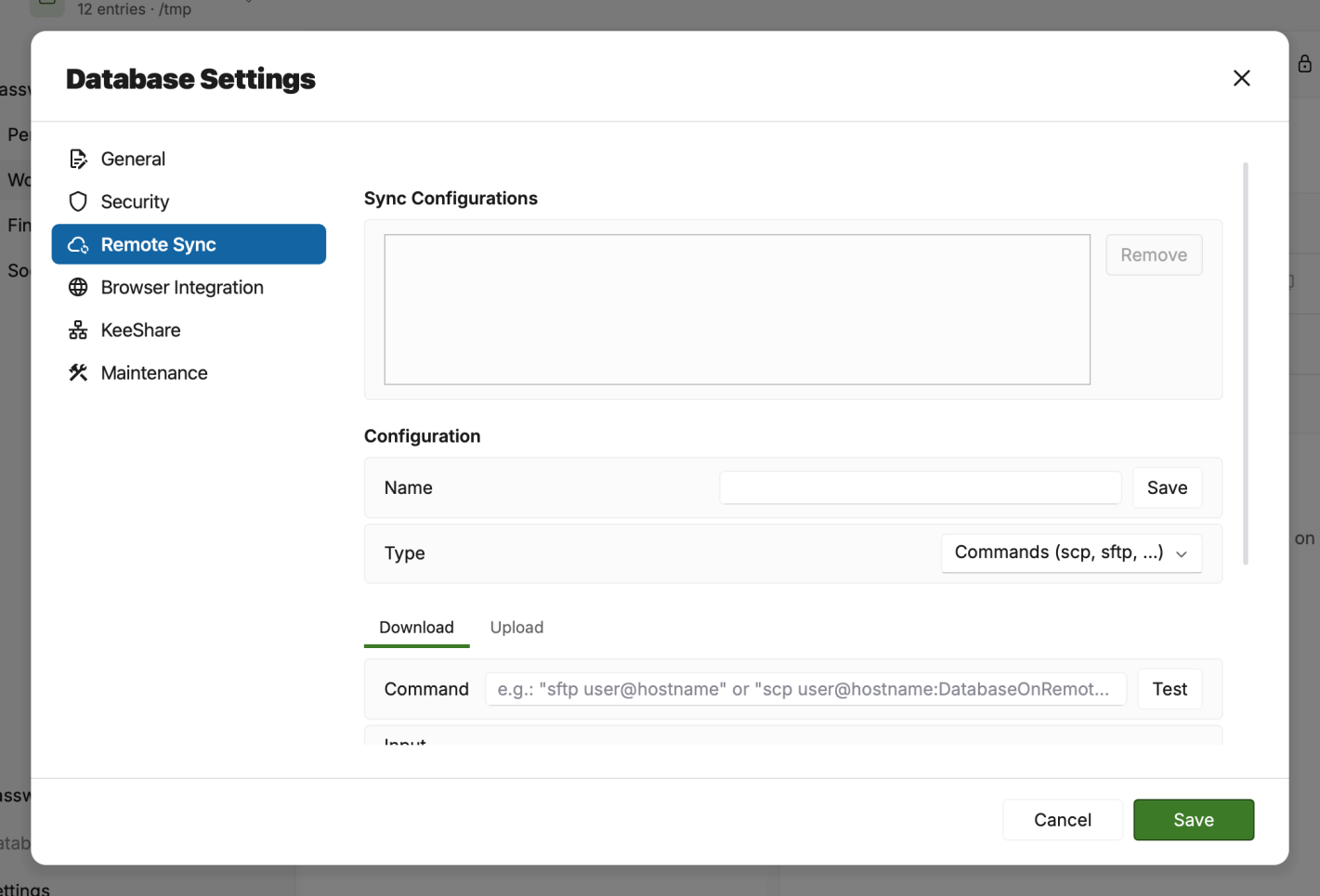
Open the remote sync settings via Database > Database Settings… > Remote Sync and keep the Type set to Commands (scp, sftp, …) to create commands to sync a local database or a temporary local copy of a remote database.
Define a name for your sync command and specify a download (A) as well as an upload command (B). The command and/or input need a {TEMP_DATABASE} placeholder specified where the remote database is temporarily stored. Do not forget to save the command settings with the save button (C). Remote settings are added as menu entries below the Remote Sync… menu for quick access.
Select the remote sync command from the Database > Remote Sync… menu to start the syncing process. The sync status chip at the far right of the header shows its progress.
The User Guide guide covers OpenVireo, based on KeePassXC 2.8.0, last updated 23 October 2026. Found a mistake? Help improve the docs on GitHub.