
When you sign up for OpenVireo, you tick a box that says nobody can recover your vaults if you lose both your master password and your Emergency Kit. That’s not small print; it’s the point. But people do lose things, and “you’re locked out forever” isn’t a good answer either. Here’s how we recover an account without breaking that promise.
Why there’s no “forgot password” link
Your vaults are encrypted on your devices with a key made from your master password and your Secret Key. We never have either of them. That’s what keeps your vaults safe if our servers are ever breached, and it’s also why we can’t email you a reset link that brings everything back. A service that can reset your password and keep your data readable is a service that can read your data.
So recovery brings back your account, never your vault data: your email address, your subscription, your organization memberships.
First, you may not need recovery at all
- Still unlocked somewhere? If OpenVireo is unlocked on any of your devices, open the Account page (on desktop: Account › Manage Account…) and change your master password there. Your vaults stay as they are.
- Just setting up a new device? A new device needs your master password and the Secret Key from your Emergency Kit. A device you’ve signed in on before only needs the password.
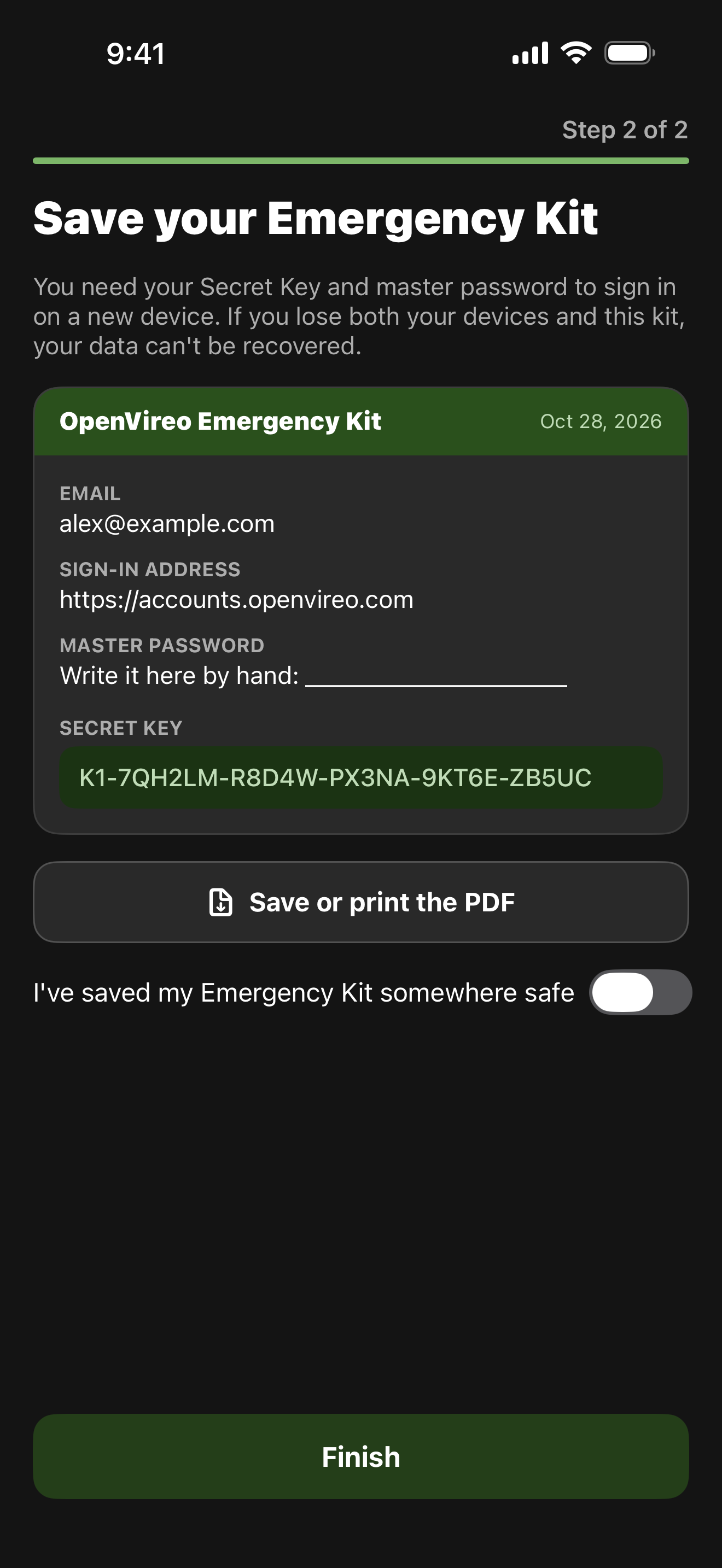
- Lost the Emergency Kit but not the password? In the web app, on a browser that’s still signed in, the Account page’s Emergency Kit section downloads it again.
Asking for recovery
If none of that works, you can request account recovery (“Can’t sign in?” on the sign-in screen). A person on our team reviews every request; nothing is automatic. We first email you a link to confirm the request, so we know the address is yours. Telling us details we can check, like the date of your last invoice, helps us approve it sooner.
You can ask for one of two things.
Billing access only. We email you a one-time link to your subscription, invoices and payment details, for example to cancel. Nothing about your vaults changes. This exists because without a way in, you couldn’t even stop paying for an account you can’t open.
A reset of your account. You choose a new master password and get a new Secret Key and a new Emergency Kit. Your email address, subscription and organization memberships stay.
What a reset does, and doesn’t
Because nobody can decrypt your vaults without your old keys, a reset starts your account with new ones:
- Your personal vaults, and your access to vaults others shared with you, are put away for 30 days. You won’t see them after the reset.
- Every device is signed out, and two-step verification is turned off. You can turn it on again afterwards.
- In each organization, an owner or admin has to confirm you again before you see its vaults, the same as when you first joined. They compare your new fingerprint, so a reset can’t be used to slip a stranger’s key into a shared vault. (If you’re an organization’s only owner or admin, nobody can open its vaults until you restore your old keys. That’s a good reason to have two.)
Built against misuse
A reset link is something an attacker would love to get hold of, so it comes with brakes:
- A 24-hour wait. The reset link only starts working 24 hours after we approve it, and we email the account to say when. If you didn’t ask for a reset, the cancel link in that email stops it.
- A person in the loop. Every request is reviewed by someone on our team, not approved by a script.
- Nothing to steal. Even a successful, fraudulent reset gets an empty account. The old vaults can only be opened with the old password and Emergency Kit, which we never had.
Getting your old vaults back
If you find your old Emergency Kit and remember your old master password within 30 days, sign in with your new password, open the web app’s Account page and use Restore vaults from before your reset. Your old vaults come back, and your new password and Secret Key stay. After 30 days, the old vaults are deleted for good.
Shared vaults whose owners have changed their keys since the reset can’t be restored this way; ask the owner to share them with you again.
The best recovery is the one you never need
Print your Emergency Kit, or save it somewhere you’ll find it in five years. Keep OpenVireo signed in on more than one device. And in organizations, make sure more than one person is an owner or admin.
Account recovery is included in every plan, including Free. For the details of how keys work, see What our servers can’t see.
Feedback
Please report any bugs you encounter at our GitHub issue tracker. See our contact page for further options.